
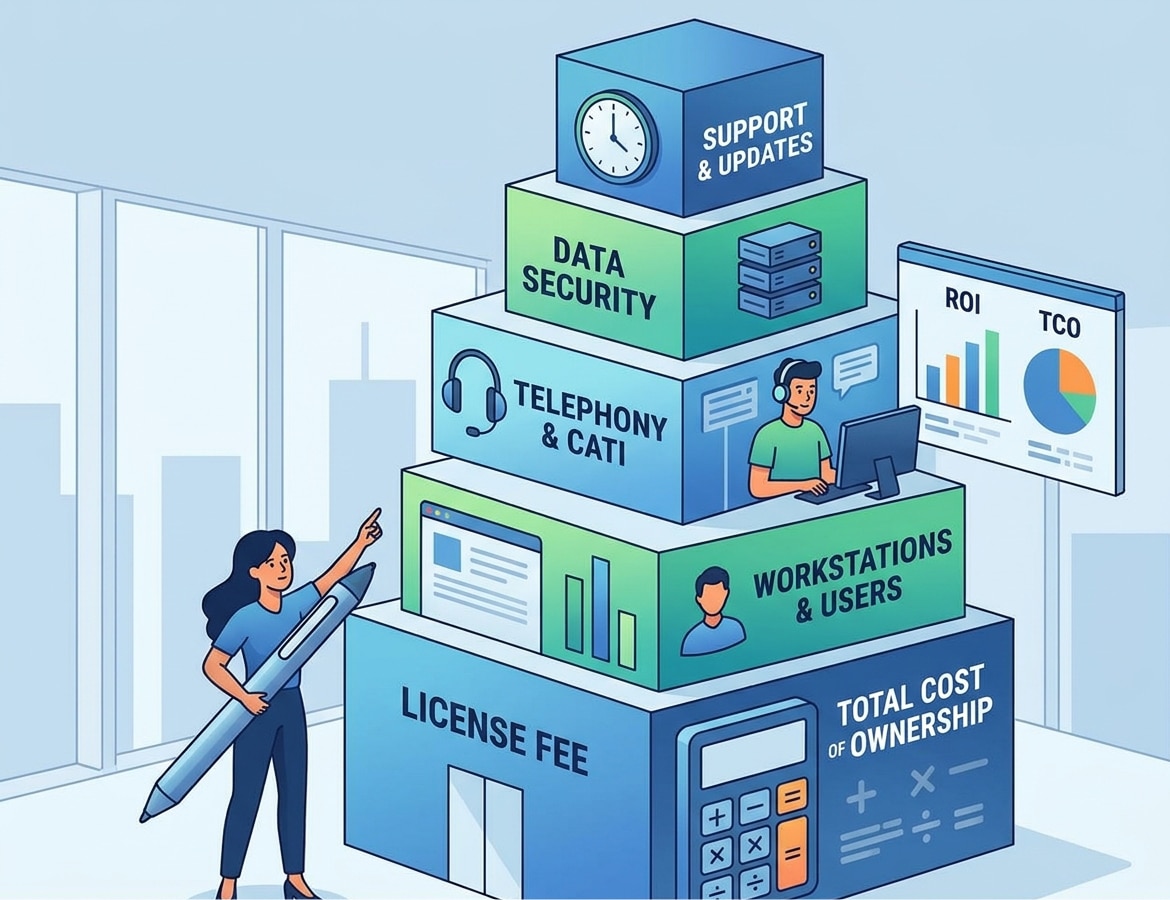
Choosing survey software involves much more than evaluating a software license. Whether you need to create online questionnaires, manage telephone interviews using CATI technology, or coordinate complex market research projects, the right solution must meet your operational requirements, ensure reliability, and help you use resources efficiently.
The cost of survey software depends on several factors, including the licensing model, the number of users and workstations, interview volumes, required features, and included services. Additional considerations may include hosting, maintenance, technical support, integrations, and telephony.
For this reason, comparing platforms based solely on their initial price can lead to an incomplete assessment. A seemingly affordable solution may require additional services, while a more comprehensive platform may offer automation and management tools that reduce manual work and improve productivity over time.
This guide explores the main licensing models, the factors that influence overall costs, and the best strategies for identifying the most suitable solution without paying for features you do not need.
The main licensing models for Survey Software
The first factor to consider when evaluating a questionnaire platform license is the commercial model under which the software is provided. Purchasing and usage arrangements can vary significantly between vendors and affect the flexibility of the solution over the medium and long term.
There is no universally best model. The right choice depends on survey frequency, team size, the need to manage multiple projects simultaneously, and the level of control required over the IT infrastructure.
Subscription-based licensing
Subscription-based licensing, often associated with Software as a Service (SaaS) platforms, allows users to access software through an ongoing service.
The subscription may include access to the platform, updates, hosting, and various levels of technical support. In other cases, certain services are available only through specific plans or optional add-ons.
This model is particularly attractive to organizations that want to avoid managing their own IT infrastructure and prefer to spread their commitment over time.
How to save: Check which features are actually included in the selected plan. Before committing to a subscription, distinguish between tools that are essential for daily operations and options that may only become necessary in the future. The ability to adjust the plan during periods of higher or lower activity can also help prevent unnecessary spending.
Pay-as-You-Go licensing
Some vendors offer usage-based models in which the license depends on the number of completed responses, interviews conducted, projects activated, or other usage metrics.
This option can be attractive to organizations that conduct occasional surveys or experience significant fluctuations in workload throughout the year.
The main advantage is the ability to align platform usage with actual activity. However, when volumes are high or difficult to predict, planning the overall requirements becomes more challenging.
How to save: Review previous projects and estimate expected volumes, checking any thresholds, usage limits, and conditions that apply when included allowances are exceeded. For recurring surveys, compare pay-as-you-go options with subscriptions that provide greater operational capacity.
Project-Based licensing
Project-based licensing is designed for organizations that use software for specific research activities without needing continuous access throughout the year.
It can suit consulting firms, market research agencies, institutions, and organizations that run independent data collection campaigns with different requirements for each project.
In this case, check whether the license includes all the required features, how long it remains active, and whether questionnaires, configurations, and data can be reused in subsequent projects.
How to save: For occasional activities, a temporary license can eliminate the need to maintain tools that would otherwise remain unused. For frequent projects, a continuous licensing arrangement may be more appropriate, particularly when it supports template reuse and process standardization.
Licensing per user, workstation or project: what are the differences?
Beyond the licensing model itself, another important factor is the unit used by the vendor to determine access and platform usage.
For example, the price of CATI software may depend on the number of interviewers, workstations, enabled features, and call volumes. An online questionnaire platform may instead impose limits based on users, projects, or collected responses.
Understanding these differences helps organizations choose a configuration that matches their actual requirements.
Per-user licensing
Under a per-user model, the number of people authorized to access the platform is one of the main factors determining licensing requirements.
This arrangement is common in professional software used by research teams, project managers, analysts, and collaborators who work on the same data simultaneously.
Cost-saving strategy: Check how inactive users are handled and whether licenses can be reassigned when team membership changes.
Per-workstation licensing
Per-workstation licensing is particularly relevant to contact centers and organizations that conduct computer-assisted telephone interviews.
A workstation may correspond to an interviewer’s operational setup, equipped with access to the CATI software and the tools required to place calls and record responses.
In these environments, the number of simultaneously active workstations may be more relevant than the total number of people involved in a project.
For example, an organization might employ a team of interviewers working different shifts. If the license permits workstations to be shared sequentially, it may not be necessary to purchase an individual license for every person.
Cost-saving strategy: Estimate the peak number of simultaneously active workstations, taking shifts, breaks, overlapping schedules, and seasonal fluctuations into account. Before reducing the number of licenses, however, verify that the agreement permits shared use and that available capacity will not affect productivity.
Licensing by project or activity volume
When software is used for specific campaigns, licensing requirements may depend on the number of projects, questionnaires, interviews, or responses managed.
This approach is useful when requirements vary according to the client, research methodology, or time of year.
A consulting firm conducting a small number of complex surveys may have very different needs from an organization that regularly collects thousands of responses through standardized questionnaires.
Cost-saving strategy: It is important to clarify whether usage is measured by questionnaires launched, completed responses, contact attempts, or valid interviews, as different definitions can significantly affect licensing requirements.
Additional costs to consider beyond the license
The license represents only one part of the overall cost of a survey platform. To compare alternatives accurately, organizations must include all the services and resources required to keep the system running.
Some items are included in the commercial offer, while others may be billed separately. This distinction is particularly important when comparing SaaS platforms, on-premise installations, and CATI solutions integrated with telephone systems.
Hosting and infrastructure
Hosting covers the resources required to make the software available, store data, and provide access to authorized users.
With cloud-based solutions, much of this work is generally handled by the vendor. Nevertheless, organizations should check the conditions relating to storage capacity, traffic, data retention, backups, service availability, and recovery procedures.
With an on-premise installation, the organization must assess the infrastructure required, including servers, storage, networking, security systems, and the technical resources needed for ongoing management.
How to save: Avoid sizing infrastructure solely around theoretical peak demand. Estimates based on actual volumes and expected growth can help balance performance and resource consumption. For cloud platforms, check whether scaling options are available and whether usage conditions are transparent.
Maintenance and updates
Maintenance helps keep the platform reliable, resolve technical issues, and ensure compatibility with the systems used by the organization.
Updates may introduce new features, improve performance, and address security vulnerabilities. Their management depends on the deployment model: SaaS updates are generally coordinated by the vendor, while on-premise installations may require internal work or specialist support.
How to save: Choose a solution with a clear update process that matches your technical capabilities. Compatibility with existing systems should also be assessed, since fragile integrations and frequent manual interventions can create additional work that is difficult to predict.
Technical support and training
Technical support affects operational efficiency, especially when software is used for campaigns with strict deadlines or high interview volumes.
Organizations should review the available support channels, coverage hours, expected response times, and the availability of dedicated support services.
Training also plays an important role. A platform that is difficult to use may require significant effort to prepare operators, configure questionnaires, and manage daily procedures.
How to save: Prioritize intuitive tools, comprehensive documentation, and reusable training resources. Establishing standardized procedures and training a small group of internal specialists can reduce repetitive support requests without eliminating access to expert assistance for more complex activities.
Telephony and CATI infrastructure
For organizations using CATI software, telephony requires specific consideration.
In addition to the platform used to manage interviews, organizations may need telephone services, PBX systems, VoIP solutions, call recording, and tools for monitoring interviewer activity.
Requirements depend on the technical architecture and the vendor’s commercial model. Some solutions include telephony components, while others require external services or custom configurations.
How to save: Start by identifying the actual requirements of each campaign. Check whether existing telephone services can be reused, whether the software integrates with current systems, and which components are genuinely necessary. When comparing offers, consider call volumes, destinations, average call duration, and any recording requirements.
Integrations, security and data Management
Survey platforms may need to communicate with CRM systems, business intelligence tools, databases, and statistical analysis software.
Integrations simplify information transfer and reduce duplicated work, but they may require configuration, development, or dedicated maintenance.
Data protection must also be considered. Depending on the nature of the research, organizations may need access controls, activity logs, retention policies, deletion procedures, and appropriate measures to protect personal data.
How to save: Prioritize integrations that eliminate frequent manual tasks or significantly reduce the risk of errors. Before commissioning custom development, check whether APIs, ready-made connectors, or native features can meet the requirements.
The most affordable solution is not necessarily the one with the fewest features. It is the one that avoids redundant components and minimizes unnecessary operational work.
SaaS vs. On-Premise: which option is more suitable?
One of the most important decisions concerns where the software will run and how it will be managed. The choice between SaaS and on-premise deployment affects not only licensing but also operational responsibilities, flexibility, and IT resource requirements.
Survey Software as a SaaS Solution
With SaaS, the platform is delivered as a service managed by the vendor and is generally accessible through a web browser.
The main advantages include rapid deployment, fewer internal infrastructure management tasks, and the ability to adapt resources more easily to operational requirements.
The vendor typically manages a significant portion of maintenance and updates, subject to the service agreement. However, organizations must still evaluate data security, data location and handling, backup policies, and the conditions for exporting information when the contract ends.
SaaS can be particularly suitable for research teams working on multiple projects, geographically distributed teams, and organizations that do not want to manage their own servers.
How to save: Choose a plan that matches the number of users and expected volumes, avoiding unused capacity. Check which activities are included in the subscription, how usage peaks are handled, and what conditions apply to data export, storage, and retention.
On-Premise Survey Software
With an on-premise deployment, the software is installed and managed on infrastructure controlled by the organization, either at its own premises or in a dedicated environment.
This model can provide greater control over architecture, configuration, and operational policies. It may be attractive to organizations with specific security, integration, or data management requirements, provided they have the necessary technical expertise.
On the other hand, the organization must account for installation, administration, updates, backups, monitoring, and business continuity.
How to save: Make use of existing infrastructure where it is technically compatible and meets performance and security requirements. It is also worth checking whether standard components can be used to reduce custom development and ongoing maintenance complexity.
How to compare the two options properly
It is not possible to state universally that SaaS is more cost-effective than on-premise deployment, or vice versa. The comparison must cover the entire lifecycle of the solution.
A cloud platform may reduce the workload for the internal IT team, but its subscription terms, usage volumes, and control requirements must be considered. A locally hosted solution may integrate well with existing infrastructure but requires resources for ongoing management.
The decision should therefore take five factors into account:
- Usage frequency: Occasional activities or ongoing projects.
- Internal expertise: Availability of IT staff to manage the system.
- Data requirements: Security, access, retention, and organizational constraints.
- Flexibility: Ability to increase or reduce resources according to demand.
- Integration: Compatibility with existing tools and systems.
Evaluating these aspects helps identify the most sustainable model without focusing exclusively on initial expenditure.
How to estimate total costs based on your requirements
To obtain a reliable estimate of survey software costs, start by identifying the processes the platform must support and translating them into measurable requirements.
The best approach is to build a forecast that includes both direct software expenses and the resources needed to use the platform effectively.
Step 1: define your objectives and research methodology
The first step is to identify the type of research you intend to conduct.
An online questionnaire aimed at a broad audience may primarily require survey design, distribution, and analysis tools. A CATI project, by contrast, may need contact list management, interview allocation, interviewer monitoring, and telephone integration.
Defining the methodology helps prevent organizations from purchasing unnecessary features or choosing a solution that will require expensive integrations later.
Step 2: estimate users, workstations and volumes
Next, quantify the factors that determine platform usage:
- Number of administrative users, researchers, and analysts.
- Maximum number of simultaneously active workstations.
- Number of projects managed each year.
- Expected volume of interviews or responses.
- Peak workloads and seasonal variations.
It is important to distinguish average volumes from peak demand. A platform sized for routine workloads may be insufficient during an intensive campaign, while a configuration based permanently on theoretical maximum demand may leave many resources unused.
Step 3: identify included services and additional requirements
When requesting a proposal, ask the vendor to clearly distinguish the license from additional services.
Hosting, maintenance, support, telephony, training, integrations, and storage should each be reviewed to determine what is included and what is subject to separate terms.
This step makes it easier to compare commercial proposals that may initially appear similar but offer very different service levels.
Step 4: account for internal work
The overall cost depends on more than what the vendor charges.
Organizations should also consider the time employees spend configuring questionnaires, managing users, checking data, maintaining the platform, and resolving issues.
A platform that automates repetitive tasks may require initial configuration but can reduce the work needed for each subsequent project.
For this reason, productivity should also be assessed. How long does it take to create a questionnaire, launch a survey, correct an error, or generate a report?
Step 5: compare the total cost of ownership
Total Cost of Ownership (TCO) includes the expenses required to adopt, operate, and maintain a solution over a defined period.
A simplified estimate can be structured as follows:
Total cost = licenses + infrastructure + maintenance + support + telephony + integrations + training + internal labor.
Not every item will apply to every project, and some may already be included in the contract. The objective is to avoid overlooking expenses and make differences between alternatives transparent.
When comparing offers, use the same time horizon and assume comparable activity volumes. If one solution includes updates and support while another charges for them separately, the comparison must account for that difference.
Step 6: evaluate future flexibility
Research requirements can change as new clients, methodologies, higher volumes, or additional operators increase demand.
A flexible platform allows organizations to adapt their configuration without necessarily undertaking a complete migration.
Before making a decision, check the conditions for expanding licenses, adding features, integrating new systems, and transferring data. Support for standard export formats can also help preserve flexibility over time.
Conclusion: how to identify the most cost-effective solution
Assessing survey software costs requires looking beyond the license itself. The licensing model, number of users and workstations, activity volumes, infrastructure, support, and integrations all contribute to the overall commitment.
The most effective approach is to compare solutions that meet the same requirements, taking both direct expenses and the resources needed for ongoing operations into account. This makes it possible to identify savings opportunities without compromising reliability, security, or data quality.
The most cost-effective configuration is the one that enables your organization to carry out its planned activities with the necessary tools, minimize waste, and retain room for gradual growth.
Request a personalized quote
Looking for the most suitable solution for your research activities? Analyzing the number of users, operational workstations, interview volumes, and required features in advance helps define a more accurate and sustainable configuration.
Request a personalized quote to identify the survey software license that best matches your needs, compare available options, and explore the best opportunities for optimization without sacrificing the features that matter most to your projects.
